Cover - Ancillary Bay (Remove and Replace)
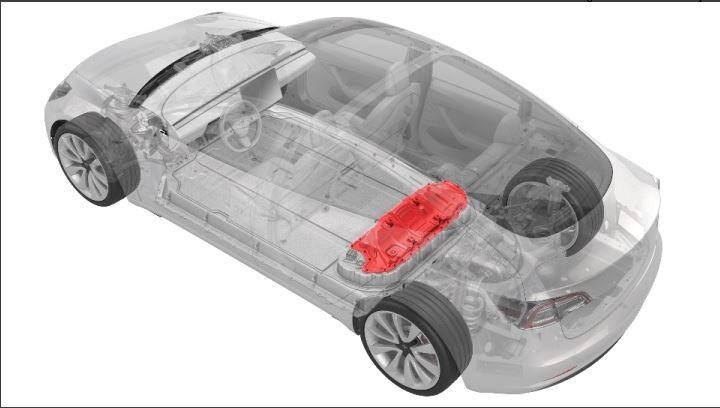 Correction code
16101002
1.14
NOTE: Unless otherwise explicitly
stated in the procedure, the correction code and its associated FRT reflect all of the
work required to perform this procedure, including the linked procedures. Do not stack correction codes unless
explicitly told to do so.
NOTE: See Flat Rate
Times to learn more about FRTs and how they are created.
NOTE: See Personal Protection to make sure wearing proper PPE when
performing the below procedure. NOTE: See Ergonomic Precautions for safe and healthy working
practices.
Correction code
16101002
1.14
NOTE: Unless otherwise explicitly
stated in the procedure, the correction code and its associated FRT reflect all of the
work required to perform this procedure, including the linked procedures. Do not stack correction codes unless
explicitly told to do so.
NOTE: See Flat Rate
Times to learn more about FRTs and how they are created.
NOTE: See Personal Protection to make sure wearing proper PPE when
performing the below procedure. NOTE: See Ergonomic Precautions for safe and healthy working
practices.
Equipment:
- 1127845-00-A Asy, Service Cover, Penthouse, Model 3
- 1059330-00-B Skt, 1/4in Dr, 5-Lobe Torx Plus External
- 1076971-02-A Wrench, Torque + Angle, 1/4" Dr
- 1108272-00-B Cap, Logic Conn, Inv, 3DU
- 1108781-BB-F: LABEL - RECYCLING WARNING - EU
High Voltage Awareness Care Pointsfor additional safety information.
Remove
- Remove the ancillary bay cover. See Cover - Ancillary Bay (Remove and Install).
Install
-
For Europe only:
Check the ancillary bay cover that is being replaced for the presence of a
recycling warning label that includes a CE marking and manufacturer
information.
- If the recycling warning label with CE marking and manufacturer information is not present on the ancillary bay cover being replaced, continue to the next step.
- If the recycling
warning label with CE marking and manufacturer information is present on
the ancillary bay cover being replaced:
- Note the area where the recycling warning label is affixed on the ancillary bay cover being replaced.
- Clean the corresponding area on the new ancillary bay cover with an IPA wipe and allow 1 minute dry time.
- Install a new recycling label with CE marking and Manufacturing Information (part number 1108781-BB-F) on the new ancillary bay cover.
-
If the old ancillary bay cover has
volcano brackets, and the replacement ancillary bay cover does not have the same brackets,
rework the High Voltage Controller (HVC) as required to achieve proper fitment between the
replacement cover and HVC. If the replacement cover has volcano brackets, skip to the next
step in this procedure.
Figure 1. Replacement ancillary bay cover without volcano brackets Figure 2. Ancillary bay cover rework area; Cover shown installed for clarity Figure 3. HVC standoff to be removed; Ancillary bay cover shown removed for clarity -
Remove the bolts that attach the HVC
to the hinge tray, and then remove the controller from the vehicle.
 2 Nm (1.5 lbs-ft)
Figure 4. 5-Bolt HVC -
Install the HVC into the ancillary
bay, and then install the bolts that attach the HVC to the hinge tray.2 Nm (1.5 lbs-ft)
-
Remove the bolts that attach the HVC
to the hinge tray, and then remove the controller from the vehicle.
- Install the ancillary bay cover. See Cover - Ancillary Bay (Remove and Install).
- Perform the ancillary bay air leak test before installing the 2nd row seat cushion. Ancillary Bay Air Leak Test (Non-Structural Pack) (Inspection)
- Install the 2nd row lower seat cushion. See Seat Cushion - Lower - 2nd Row (Remove and Replace).
- Connect 12V power. See 12V/LV Power (Disconnect and Connect).