2026-04-28
Remove and Clean Radiator (Heat Pump) (Maintenance)
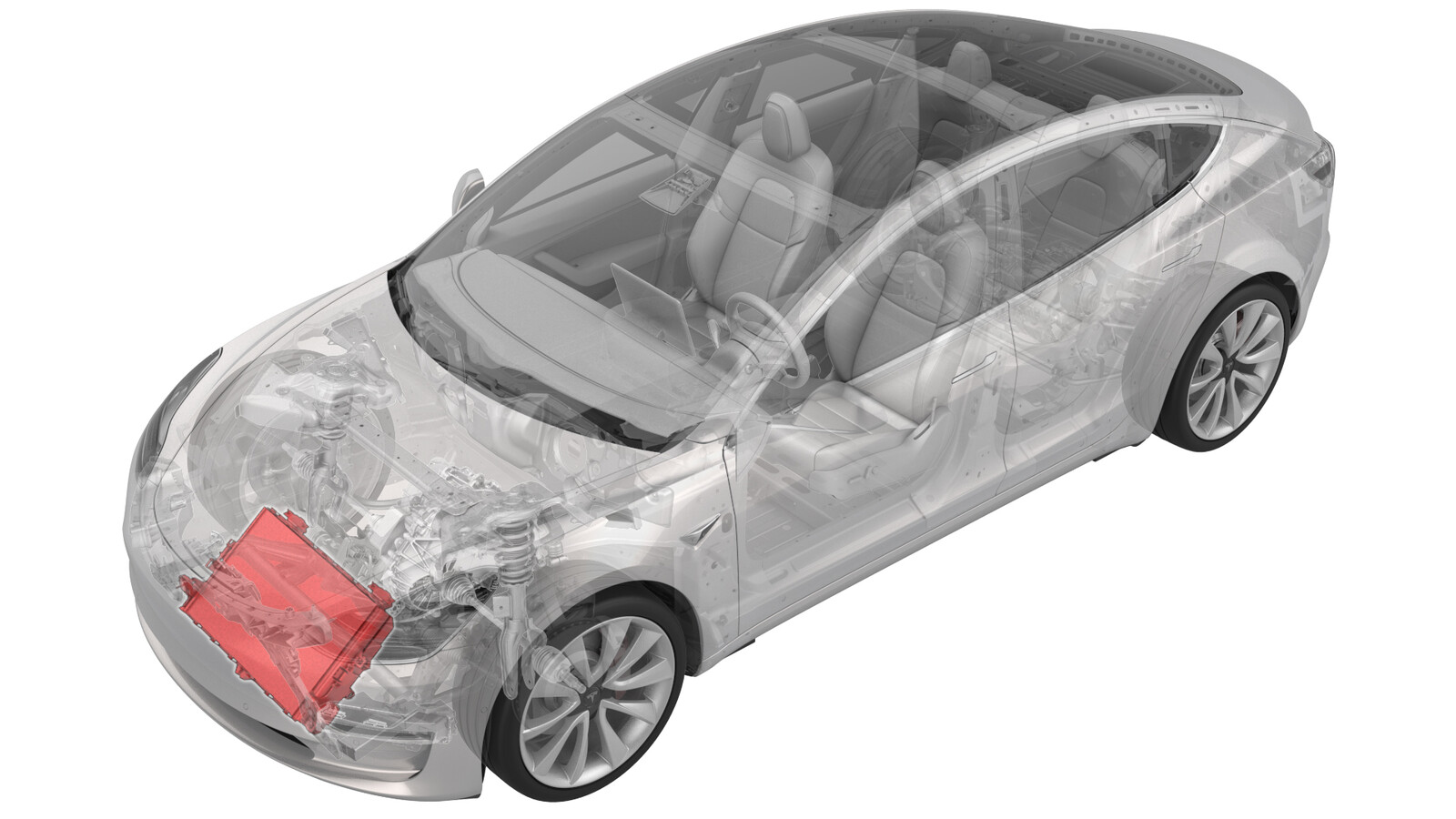
Correction code
18301200
1.32
NOTE: Unless otherwise explicitly stated in the procedure, the correction code and FRT listed above reflect all of the work required to perform this procedure, including the linked procedures. Do not stack correction codes unless explicitly told to do so.
NOTE: See Flat Rate Times to learn more about FRTs and how they are created.
NOTE: See Personal Protection to make sure you
are wearing proper PPE when performing the procedure below.
NOTE: See Ergonomic Precautions for safe and healthy working practices.
Warning
This procedure is a DRAFT.
Although it has been validated, Warnings and Cautions might be missing. Follow safety
requirements and use extreme caution when working on or near High Voltage systems and
components.
- 2026-04-21: Released new procedure.
-
Open LH front door
-
Lower LH front window
-
Raise and support vehicle
-
Open hood
NotePress "Open" button on touchscreen to release latch, Lift lid manually
-
Remove rear apron
Note12x clips, Only store rear apron visible face upwards
-
Remove cabin intake upper duct assembly
Note3x clips, Some configurations may come with 4x clips
-
Remove closeout panel from frunk assembly
Note4x clips, 1x connector, Frunk safety switch, 3x guide tabs, Grab closeout panel from bottom then pull it upward to release clips, Disconnect switch
-
Remove bolts securing frunk assembly
Note7x bolts, 10mm, 5 Nm
-
Remove frunk assembly from vehicle
Note12x clips, Replace any clips if broken or missing, Number of clips may vary on older vehicles
-
Connect to vehicle using Toolbox
NoteVehicle connection is integrated into drivers footwell cover, Navigate to https://toolbox.teslamotors.com and establish connection to vehicle, Select connection status icon at top right corner then select connect locally, Icon will turn green when connected, Successful connection will automatically unlock vehicle gateway and place UI in Service Mode Plus, If RJ45 ethernet diagnostic connector present connect directly from laptop using an RJ45 Ethernet cable, For local connection issues with Toolbox refer to https://toolbox.teslamotors.com/articles/43695
-
Select ‘Actions/Autodiag’ and search for ‘Thermal’
-
Perform "Start Thermal Fluid Fill/Drain (Coolant only)" in Toolbox
NoteClick "Run" and allow routine to complete. Select ‘X’ at top right of window to close once complete, Verify vehicle is in Series via Garage > Vitals > Thermal tab > Coolant loops, Thermal Fluid Fill/Drain routine has a 5 hour limit, After 5 hours routine must be performed again
-
Disconnect active grille shutter actuator connector
Note1x connector, Disengage locking tab
-
Remove ambient temperature sensor cover from active grille shutter
-
Disconnect ambient temperature sensor connector
Note1x connector
-
Release clip securing front harness to frunk reinforcement bracket
Note1x clip
-
Remove bolts securing frunk reinforcement bracket
Note2x bolts, 10mm, 16 Nm
-
Remove frunk support beam from cooling fan module assembly
NoteSlide the frunk support beam towards rear of vehicle
-
Raise vehicle fully and lower lift onto locks
NoteSet vehicle to comfortable working height, Ensure an audible click of locks on both sides is heard before lowering, Vehicle may tilt to the side if both locks are not engaged
-
Remove outer fasteners securing front aero shield
Note9x bolts, 10mm, 5 Nm
-
Remove front aero shield
Note2x nuts, 15mm, 5 Nm
-
Remove clips securing LH front wheel liner to lower valance
Note3x push clips
-
Remove nut securing lower valance to LH side of inner fascia
Note1x nut, 10mm, 3 Nm
-
Remove clips securing RH front wheel liner to lower valance
Note3x push clips
-
Remove nut securing lower valance to RH side of inner fascia
Note1x nut, 10mm, 3 Nm
-
Release pedestrian warning harness
Note1x connector, 1x clip, Pull tab to disengage lock, Pull again release from connector, Speaker is located behind RH wheel liner, Connector access may vary depending on revision of super horn audio speaker, May require to use a pocket screw driver or miniature pick to release red locking tab covered by anti-tampering feature
-
Remove clips securing front valance to front fascia and remove front valance
Note10x push clips, 6x tabs
-
Place coolant drain container below LH front of vehicle
-
Disconnect the radiator inlet and allow coolant to drain
Note1x spring clip, Plug hose and radiator
-
Place coolant drain container below RH front of vehicle
-
Disconnect radiator outlet hose from radiator and allow coolant to drain
Note1x spring clip, Plug hose and radiator
-
Remove coolant drain container from underneath vehicle
-
Disconnect connector to cooling fan module
Note1x connector, Disconnect this after coolant hose is capped to avoid coolant damaging connector
-
Remove RH bolt securing cooling fan module assembly to front end carrier
Note1x bolt, 8mm, 10 Nm, Recommend assistance to support the cooling fan module assembly
-
Remove LH bolt securing cooling fan module assembly to front end carrier
Note1x bolt, 8mm, 10 Nm, Recommend assistance to support the cooling fan module assembly
-
Remove cooling fan module assembly from vehicle
NoteRecommend assistance
-
Release locking tabs securing active grill shutter to cooling fan and shroud assembly and remove active grill shutter
Note14x locking tabs
-
Release Radiator from fan shroud
Note2x tabs, 2x mounts, If stone guard is not present on new radiator then proceed to 18302500402
-
Clean debris from radiator
NoteVacuum both sides of radiator, Do not damage fins of radiator
-
Clean radiator with compressed air
NoteClean both sides of radiator with compressed air, Do not damage fins of radiator
-
Install radiator into cooling fan and shroud assembly
Note2x holding mounts, 2x locking tabs
-
Install active grill shutter to cooling fan and shroud assembly
Note14x locking tabs
-
Install cooling fan module assembly into vehicle and loosely install LH and RH bolts
Note2x bolts, 8mm, 10 Nm, Recommend assistance to support the cooling fan module assembly
-
Torque LH bolt securing cooling fan module assembly to front end carrier
Note1x bolt, 8mm, 10 Nm
-
Torque RH bolt securing cooling fan module assembly to front end carrier
Note1x bolt, 8mm, 10 Nm, Recommend assistance to support the cooling fan module assembly
-
Position coolant drain container below RH front of vehicle
-
Install radiator outlet hose to radiator
Note1x spring clip, Remove plugs from both ends of the coolant connection, Perform push-pull-push test to make sure hose is fully seated
-
Position coolant drain container below LH front of vehicle
-
Install radiator inlet hose to radiator
Note1x spring clip, Remove plugs from both ends of the coolant connection, Perform push-pull-push test to make sure hose is fully seated
-
Remove coolant drain container from underneath vehicle
-
Install connector to cooling fan module
Note1x connector
-
Position front valance to front fascia and install clips securing front valance to front fascia
Note10x push clips, 7x tabs, Recommend assistance
-
Connect pedestrian warning harness
Note1x connector, 1x clip, Engage locking tab
-
Install nut securing lower valance to RH side of inner fascia
Note1x nut, 10mm, 3 Nm
-
Install clips securing RH front wheel liner to lower valance
Note3x push clips
-
Install nut securing lower valance to LH side of inner fascia
Note1x nut, 10mm, 3 Nm
-
Install clips securing LH front wheel liner to lower valance
Note3x push clips
-
Position front aero shield to vehicle and install nuts
Note2x nuts, 15mm, 5 Nm
-
Apply Loctite 222 onto front aero shield bolts and install outer fasteners to front aero shield
Note9x bolts, 10mm, 5 Nm
-
Lower vehicle fully
NoteRaise lift off locks, then hold lock release lever to keep locks free while vehicle is lowered
-
Install frunk support beam into cooling fan module assembly
NotePosition CFM mounts onto tabs on CFM
-
Install bolts securing frunk reinforcement bracket
Note2x bolts, 10mm, 16 Nm
-
Install clip securing front harness to frunk reinforcement beam
Note1x clip
-
Connect ambient temperature sensor connector
Note1x connector
-
Install ambient temperature sensor cover into active grille shutter
-
Install connector to active grille shutter actuator
Note1x connector , Engage locking tab
-
Remove coolant bottle cap
Note(*Use this step for Model 3 Heat pump vehicles)
-
Place empty coolant container into front storage area
Note(*Use step for Model 3 Heat Pump vehicles)
-
Fill container with at least 15L of coolant
-
Place filled coolant container into front storage area
Note(*Use step for Model 3 Heat Pump vehicles)
-
Place refill hose inside filled coolant container
NoteMake sure hose end is fully submerged into coolant
-
Install coolant reservoir adapter cap
onto coolant bottle assembly
Note(*Use step for Model 3 with Heat Pump & NV35) 1x adapter cap, Adapter found in Vacuum Refill kit, turn clockwise to tighten cap onto coolant bottle
-
Setup coolant Vacuum Refill Tool
NoteVerify all valves on refill tool are in the closed position, See image for clarity
-
Connect vacuum refill hose to refill cap on coolant bottle
NotePerform push-pull-push test to verify hose is fully engaged (*Use this step for Model 3 Heat Pump vehicles)
-
Place overflow hose into empty container
-
Place refill hose inside filled coolant container
NoteMake sure hose end is fully submerged into coolant
-
Connect shop air supply to coolant refill tool
NoteIf not already done, Verify refill valve is set to off
-
Open air inlet valve to draw a vacuum, Once gauge stabilizes, Fully close valve
NoteGauge stabilizes roughly (60-70 cmHg), Vacuum should not drop after the valves are closed
-
Slowly open coolant refill valve to allow coolant to be drawn into coolant refill hose, Close valve when hose is full of coolant
NoteThis purges trapped air from the hose
-
Monitor gauge for 30 seconds to verify a vacuum is maintained in cooling system
-
Reopen air inlet valve for 3 minutes to continue evacuating cooling system, then close valve
-
Slowly open refill valve to draw coolant into system
NoteValve lever is inline with hose when fully open, Make sure end of refill hose is fully submerged in container during entire process, Coolant will be transferred through hose from container to vehicle coolant reservoir, Vacuum gauge needle will move towards zero as it fills
-
When gauge reaches zero, close coolant refill valve
-
Disconnect shop air supply from coolant refill tool
-
Remove coolant refill hose from coolant container
-
Remove coolant overflow hose from waste coolant container
-
Disconnect vacuum refill hose from refill cap on coolant bottle
Note(*Use this step for Model 3 Heat Pump procedures)
-
Remove coolant refill tool from vehicle
-
Remove both coolant containers from inside underhood area
Note(*Use this step for Model 3 vehicle procedures)
-
Select ‘Actions/Autodiag’ tab and search for ‘Purge'
-
Run ODIN routine
TEST_VCFRONT_X_THERMAL-COOLANT-AIR-PURGEvia Service Mode:
- Thermal ➜ Actions ➜ Coolant Purge Stop or Coolant Purge Start
- Thermal ➜ Coolant System ➜ Coolant Purge Start
- Drive Inverter ➜ Front Drive Inverter Replacement ➜ Coolant Air Purge
- Drive Inverter ➜ Rear Drive Inverter Replacement ➜ Coolant Air Purge
- Drive Inverter ➜ Rear Left Drive Inverter Replacement ➜ Coolant Air Purge
- Drive Inverter ➜ Rear Right Drive Inverter Replacement ➜ Coolant Air Purge
- Drive Unit ➜ Front Drive Unit Replacement ➜ Coolant Air Purge
- Drive Unit ➜ Rear Drive Unit Replacement ➜ Coolant Air Purge
-
Inspect coolant level and top off as necessary
NoteEnsure that fluid level is at Max line
-
Install coolant bottle cap
Note(*Use this step for Model 3 Heat Pump vehicles)
-
Select ‘Actions/Autodiag’ and search for ‘Thermal’
-
Select ‘Stop Thermal Fluid Fill/Drain’, click ‘Run’, and allow routine to complete
NoteSelect ‘X’ at top right of window to close once complete
-
Perform Thermal System Performance Test through toolbox 3
NoteSelect ‘Actions’ tab and search for 'Thermal System Performance Test', Select TEST-SELF_VCFRONT_X_THERMAL-PERFORMANCE, select 'Complete inflate' click 'RUN', Select ‘X’ at top right of window to close once complete, if thermal test fails follow https://toolbox.teslamotors.com/articles/206000
-
Disconnect Toolbox from vehicle and remove laptop and diagnostics adapter ethernet harness
NoteIf RJ45 ethernet diagnostic connector present media converter box not required disconnect directly from laptop using an RJ45 Ethernet cable or from OBDII connection
-
Install frunk assembly to vehicle
Note12x clips, Make sure frunk assembly is fully seated onto clips, Number of clips may vary on older vehicles, Ensure A/C compressor HVIL harness is not pinched between frunk assembly and thermal beam, replace any damaged clips
-
Install bolts securing frunk assembly
Note7x bolts, 10mm, 5 Nm
-
Install frunk close out panel
Note4x clips, 1x connector, Frunk safety switch, 3x guide tabs, Align 3x tabs then push downward to secure clips
-
Install cabin intake upper duct assembly
Note3x clips, Some configurations may come with 4x clips
-
Install rear apron
Note12x clips
-
Close hood
-
Raise LH front window
-
Close LH front door