Camera - Side Repeater - LH (Remove and Replace)
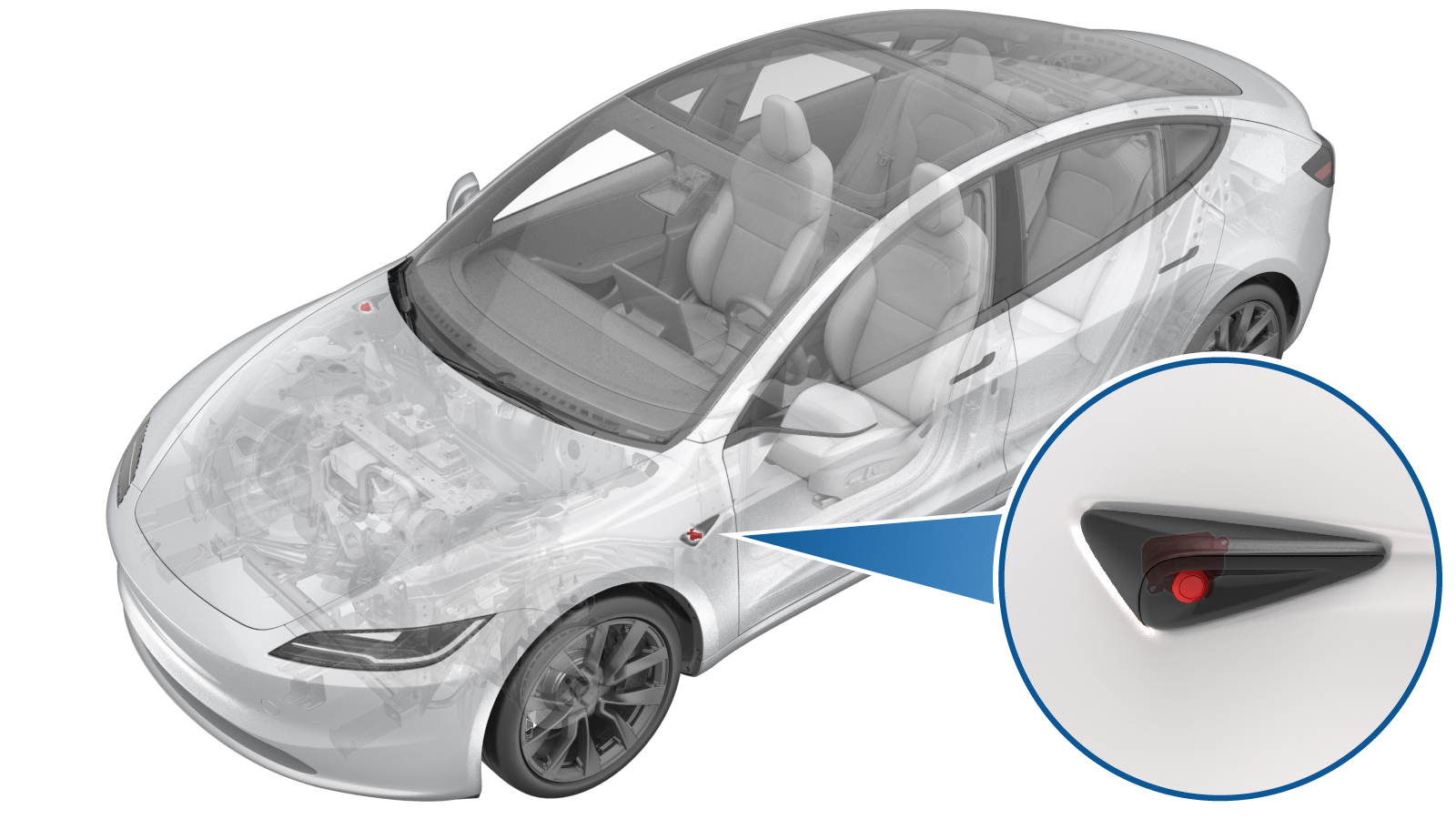 Correction code
1722020112
FRT
0.24
NOTE: Unless
otherwise explicitly stated in the procedure, the correction code and its
associated FRT reflect all of the work required to perform this procedure,
including the linked procedures. Do not stack correction
codes unless explicitly told to do so.
NOTE: See Flat Rate Times to
learn more about FRTs and how they are created.
NOTE: See Personal Protection to make
sure you are wearing proper PPE when performing the procedure below.
NOTE: See Ergonomic Precautions for safe and healthy
working practices.
Correction code
1722020112
FRT
0.24
NOTE: Unless
otherwise explicitly stated in the procedure, the correction code and its
associated FRT reflect all of the work required to perform this procedure,
including the linked procedures. Do not stack correction
codes unless explicitly told to do so.
NOTE: See Flat Rate Times to
learn more about FRTs and how they are created.
NOTE: See Personal Protection to make
sure you are wearing proper PPE when performing the procedure below.
NOTE: See Ergonomic Precautions for safe and healthy
working practices.
- 2026-04-20: Updated camera update routine.
- 2026-03-02: Updated calibration steps to use ServiceUI.
- 2025-05-29: Updated the Toolbox procedure.
Equipment:
- 1773595-00-A RJ45 ETHERNET CABLE
- 1930388-00-A OBD II TO RJ45 NETWORK PORT
Torque Specifications
| Description | Torque Value | Recommended Tools | Reuse/Replace | Notes |
|---|---|---|---|---|
| Bolts (x2) that attach the LH front side repeater camera to the side repeater assembly |
 0.6 Nm (5 lbs-in) |
|
Reuse |
Remove
- Remove the LH side repeater camera. See Camera - Side Repeater - LH (Remove and Install).
Replace
- Install the LH side repeater camera. See Camera - Side Repeater - LH (Remove and Install).
- Unlock the vehicle gateway. See Gateway Unlock.
-
Run PROC_DAS_X_CLEAR-CALIBRATIONvia Service Mode:
- Driver Assist ➜ Cameras ➜ Clear Camera Calibration
- Driver Assist ➜ Driverless ➜ Clear Calibration
-
Run PROC_DAS_X_UPDATE-CAMERAvia Service Mode:Driver Assist ➜ Cameras ➜ Update Cameravia Toolbox:(link)
NoteThis routine will be available in software version 2026.8.6 and later. Until then, run the following routines to update the camera:
- Connect a laptop with Toolbox 3 to the vehicle. See Toolbox (Connect and Disconnect).
- In Toolbox, click the Actions tab, type "DAS" into the search field, click PROC_DAS_X_ENTER-CALIBRATION-MODEvia Toolbox:(link), click Run, and allow the routine to complete.
-
Type "Side Repeater"
into the search field, click PING-HTTP_DAS_L_REPEATER-CAMERA-SCRIPTvia Toolbox:(link), change the timeout to
100
, click Run, and allow the routine to complete. - Type "DAS" into the search field, click PROC_DAS_X_EXIT-CALIBRATION-MODEvia Service Mode Plus:Driver Assist ➜ Cameras ➜ Exit Factory Calibration Modevia Toolbox:(link), click Run, and allow the routine to complete.
- Disconnect the laptop from the vehicle.
- Exit Service Mode Plus. See Service Mode Plus.
- Raise the LH front window and close the LH front door.
-
Inform the customer that manual driving is now required to self-calibrate the camera.
NoteSelf-calibration can take up to 100 miles (160 km) of manual driving, depending upon the road type and condition. Until self-calibration is complete, the message "Autopilot Features Currently Unavailable: Manual Driving Required While Camera Is Calibrating" is displayed if an attempt is made to engage an Autopilot feature.