Ancillary Bay Cover (Remove and Install)
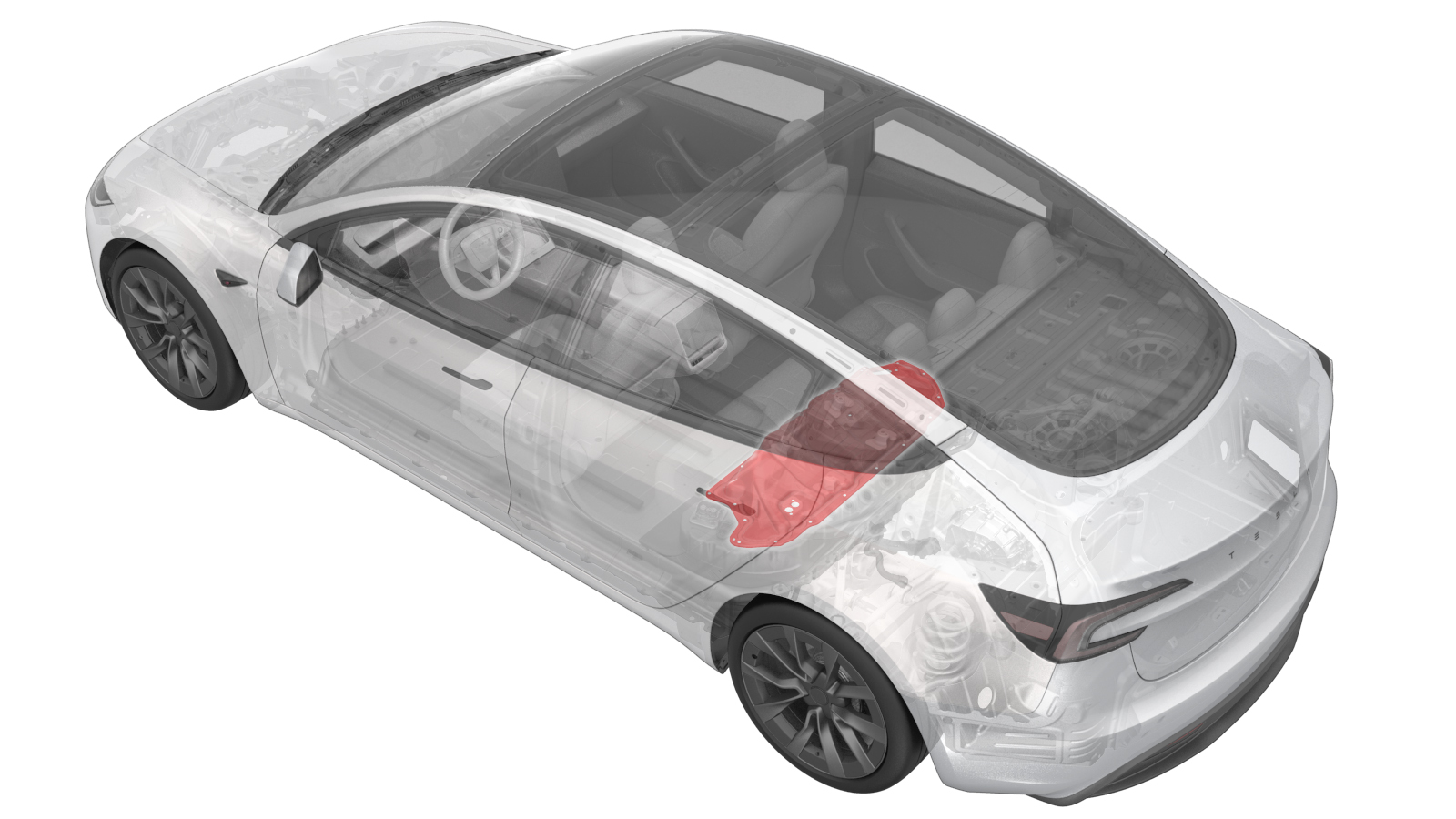 Correction code
1630010281
0.66
NOTE: Unless
otherwise explicitly stated in the procedure, the correction code and its
associated FRT reflect all of the work required to perform this procedure,
including the linked procedures. Do not stack correction
codes unless explicitly told to do so.
NOTE: See Flat Rate Times to
learn more about FRTs and how they are created.
NOTE: See Personal Protection to make
sure you are wearing proper PPE when performing the procedure below.
NOTE: See Ergonomic Precautions for safe and healthy
working practices.
Correction code
1630010281
0.66
NOTE: Unless
otherwise explicitly stated in the procedure, the correction code and its
associated FRT reflect all of the work required to perform this procedure,
including the linked procedures. Do not stack correction
codes unless explicitly told to do so.
NOTE: See Flat Rate Times to
learn more about FRTs and how they are created.
NOTE: See Personal Protection to make
sure you are wearing proper PPE when performing the procedure below.
NOTE: See Ergonomic Precautions for safe and healthy
working practices.
- 2026-06-10: Added information for Service Cover (EMEA only)
Equipment:
- 1127845-00-A Asy, Service Cover, Penthouse, Model 3
- 1059330-00-B Skt, 1/4in Dr, 5-Lobe Torx Plus External
- 1076971-02-A Wrench, Torque + Angle, 1/4" Dr
- 1108272-00-B Cap, Logic Conn, Inv, 3DU
High Voltage Awareness Care Pointsfor additional safety information.
Torque Specifications
| Description | Torque Value | Recommended Tools | Reuse/Replace | Notes |
|---|---|---|---|---|
| Bolts (x3) that attach the ancillary bay cover to the high voltage controller |
 5 Nm (3.7 lbs-ft) + 30 Degrees |
|
Reuse | |
| Bolts (x18) that attach the ancillary bay cover to the HV controller |
8 Nm (5.9 lbs-ft) |
|
Reuse |
CAUTION Use
an External Torx E10 5-Lobe socket that is not magnetized. Sockets
with magnets will not fully grip and can possibly strip the bolt
head. Note Torque these
fasteners in the sequence specified in the installation step. Note These bolts are
attached to the ancillary bay cover. |
Remove
- Perform the Vehicle HV Disablement Procedure. See Vehicle HV Disablement Procedure (Test/Adjust).
-
Disconnect the electrical harness from the high voltage controller connector.
NoteThe HV battery positive contactor and negative contactor open with a clunk sound.
-
Install the logic connector cap onto the high voltage controller connector to prevent mistaken reconnection and protect the connector.
-
Remove the bolts (x3) that attach the ancillary bay cover to the high voltage controller.
WarningThe video(s) included in this procedure are meant as an overview for supplemental purposes only. Follow all of the steps listed in the procedure to avoid damage to components and/or personal injury.TipUse of the following tool(s) is recommended:
- Torque wrench with angle measurement
- External Torx E10 5-Lobe
-
Remove the bolts (x18) that attach the ancillary bay cover to the HV battery.
TipUse of the following tool(s) is recommended:
- External Torx E10 5-Lobe
- Put on HV insulating gloves and leather outer gloves before continuing this procedure.
-
Remove the ancillary bay cover from the vehicle.
WarningRemove the ancillary bay cover from the vehicle while standing outside the vehicle to reduce the risk of falling into the open HV battery.CAUTIONFor EMEA only: Install a Service Cover on the Ancillary Bay if required due to training requirements. E.g. for pyrotechnic disconnect replacement by technicians who are not certified for all Ancillary Bay procedures.
Install
- Use IPA wipes to clean the ancillary bay cover gasket surface, and the mating surface of the HV battery.
-
If the aluminum tape retrofit patch is
missing or damaged, remove the patch (if present), clean the area with an IPA wipe,
apply another patch of aluminum tape, and wet out the patch with a silicone roller to
set the adhesive.
TipUse of the following tool(s) is recommended:
- 3M 425 Aluminum Foil Tape - 0601363
Figure 1. 5-Bolt to 4-Bolt Patch 50mm x 50mm Figure 2. 4-Bolt to 3-Bolt Patch 30mm x 30mm -
Inspect ancillary bay walls for damage.
NoteAny dent or depression in the seal that causes it to not be flat will result in a leak, and cannot be reused. Any paint that comes off the ancillary bay wall, whether or not it sticks to the seal, will require enclosure leak test when reassembled.
-
Inspect the ancillary bay cover seal to confirm it has no visual damage.
NoteImage up close for clarity. Delaminated and torn seals cannot be reused.
-
Install the ancillary bay cover to the
HV battery.
WarningInstall the ancillary bay cover to the HV battery while standing outside the vehicle to reduce the risk of falling into the open HV battery.
-
Install the logic connector cap to the
high voltage controller connector.
-
Install the bolts (x18) that attach
the ancillary bay cover to the HV battery in the sequence as shown.8 Nm (5.9 lbs-ft)CAUTIONUse an External Torx E10 5-Lobe socket that is not magnetized. Sockets with magnets will not fully grip and can possibly strip the bolt head.NoteFollow the torque sequence in the image.TipUse of the following tool(s) is recommended:
- External Torx E10 5-Lobe
- Remove the HV insulating gloves.
-
Install the bolts (x3) that attach the
ancillary bay cover to the high voltage controller.5 Nm (3.7 lbs-ft) + 30 DegreesTipUse of the following tool(s) is recommended:
- Torque wrench with angle measurement
- External Torx E10 5-Lobe
-
Connect the electrical harness to the
high voltage controller connector.
- Install the 2nd row lower seat cushion. See Seat Cushion - 2nd Row (Remove and Replace).
- Connect the LV power. See LV Power (Disconnect and Connect) (Modify).