Harness - Main Front (Non-Structural Pack) (RHD) (Remove and Replace)
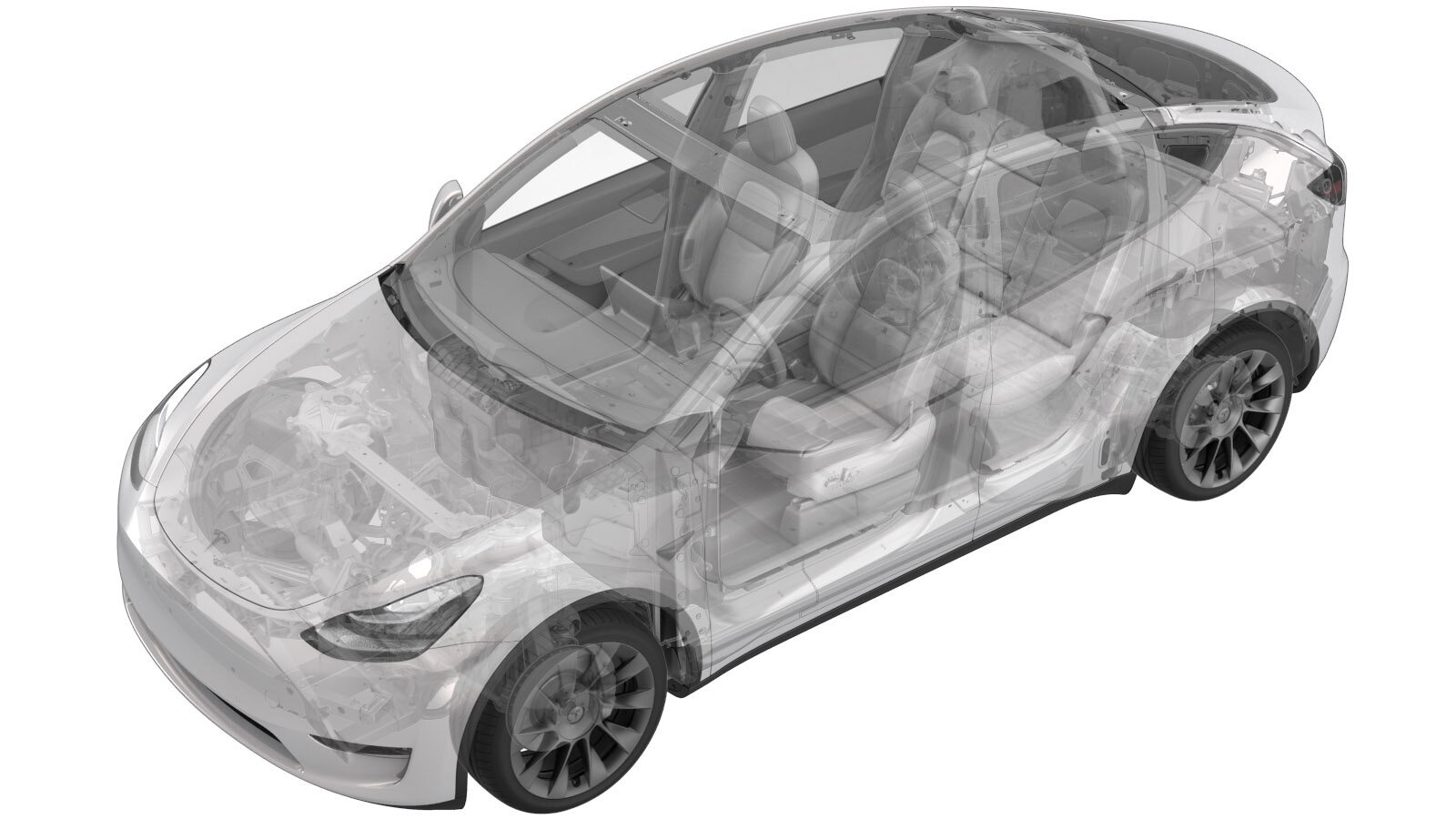 Correction code
17100712
3.00
NOTE: Unless otherwise explicitly
stated in the procedure, the correction code and its associated FRT reflect all of the
work required to perform this procedure, including the linked procedures. Do not stack correction codes unless
explicitly told to do so.
NOTE: See Flat Rate
Times to learn more about FRTs and how they are created.
NOTE: See Personal Protection to make sure wearing proper PPE when
performing the below procedure. NOTE: See Ergonomic Precautions for safe and healthy working
practices.
Correction code
17100712
3.00
NOTE: Unless otherwise explicitly
stated in the procedure, the correction code and its associated FRT reflect all of the
work required to perform this procedure, including the linked procedures. Do not stack correction codes unless
explicitly told to do so.
NOTE: See Flat Rate
Times to learn more about FRTs and how they are created.
NOTE: See Personal Protection to make sure wearing proper PPE when
performing the below procedure. NOTE: See Ergonomic Precautions for safe and healthy working
practices.
- 2025-12-29: Added step to open glovebox near beginning of procedure.
- 2024-03-22: Added a Note to make sure the first responder loop is disconnected prior to the installation of the new main front harness.
- Open both front doors.
- Lower both front windows.
- Move both front seats backward.
- Open the glove box.
-
Chock LH rear wheel
-
Place vehicle into tow mode
NoteVia Controls > Service > ''Towing''
- Remove the 12 V battery from the vehicle. See 12V/LV Battery (Remove and Replace).
-
Release washer hose from washer tank neck
Note5x anchors
-
Remove washer tank neck from washer tank
Note1x O-ring, Pull straight out
-
Remove RH wiper arm nut cover
Note1x cover
-
Remove the nut securing the RH wiper arm to wiper module
Note1x nut, 15mm, 25 Nm
-
Disconnect washer hose from RH wiper arm to Y-tube fitting and release washer hose clip
Note1x clip, 1x hose
-
Remove the RH wiper arm and hose assembly from vehicle
-
Remove LH wiper arm nut cover
Note1x cover
-
Remove the nut securing the LH wiper arm to wiper module
Note1x nut, 15mm, 25 Nm
-
Disconnect washer hose from LH wiper arm to Y-tube fitting and release washer hose clip
Note1x clip, 1x hose
-
Remove the LH wiper arm and hose assembly from vehicle
-
Disconnect washer hose from washer pump to Y-tube fitting and release washer hose clip
Note2x clip, 1x hose
-
Remove cowl screen retaining clips
Note2x push clips
-
Release the cowl clips at the center bracket
Note2x retaining clips
-
Remove cowl screen from vehicle
Note2x clips, Release the corners of the cowl by pulling away from the body then lift the cowl off of the windshield
-
Remove fresh air intake duct
Note1x bolt, 10mm, 4 Nm, 2x clips, 1x pin, Remove bolt, Gently pry pin out from thermal beam, then remove from bulkhead studs
-
Remove the bolts securing wiper module
Note2x bolts, 10mm, 7 Nm
-
Remove wiper module from anchor bracket
Note1x rubber anchor, Carefully pull wiper assembly forward to disengage rubber anchor from under windshield bracket
-
Disconnect wiper module harness
Note1x connector, Rotate wiper assembly to expose under side
-
Remove wiper module from vehicle
-
Disconnect harness connector for windshield heater and release clip
Note1x connector, 1x clip,Release locking tab
-
Secure the windshield harness out of the way to avoid damage
NoteSecure using tape
-
Disconnect washer pump harness clip
Note1x fir clip
-
Remove bolts securing washer tank
Note1x bolt, 10mm, 3 Nm, 1x nut, 10mm, 3 Nm
-
Unplug washer tank level sensor
Note1x connector
-
Disconnect washer tank pump connector
Note1x connector
-
Remove washer assembly
NoteDrain washer fluid once removed
-
Release 12V positive cable clip from front controller
Note1x clip
-
Disconnect the supermanifold harness from the front LV controller
Note1x connector, 1x clip
-
Remove bolts securing front LV controller shield assembly and remove from vehicle
Note2x bolts, 10mm, 8.5 Nm
-
Disconnect remaining connectors on front LV controller
Note5x connectors, Release locking tabs first if equipped
-
Release harness guide from front LV controller
Note2x patch bolts, 8mm, 6 Nm, 1x temp set clip, Discard bolts after removal, Remove bolts first, then pivot harness guide slightly forward and up to remove temp set clip from front harness
-
Remove bolts securing front LV controller
Note3x bolts, 10mm, 10 Nm
-
Remove front controller upper ground strap from body
Note1x bolt, 10mm, 10 Nm
-
Remove the front LV controller from vehicle
NotePush harness connectors down to provide space, Gently pry bottom of controller out of BIW temp set holes, Then swing controller forward and up to release from top temp set
-
Place absorbent material below car computer coolant hose connection points to collect any spilled coolant
-
Release coolant hoses from car computer
Note2x spring clips
-
Install plugs to car computer coolant hoses
Note2x plugs, Do not need to engage spring clips
-
Install coolant plugs into coolant outlets of car computer that is being removed from vehicle
-
Remove nuts securing car computer to bulkhead
Note6x nyloc nuts, 7.1 Nm, Discard nuts after removal
-
Remove RH IP end cap
Note3x clips
-
Remove RH mid A-pillar assembly
Note1x clip, 1x tab, Release the upper clip then pull mid A-pillar upward to remove
-
Remove RH air wave bezel cap from main decor assembly
Note2x clips
-
Remove clip securing RH lower A-pillar trim
Note1x push clip
-
Remove RH lower A-pillar trim
Note6x clips, 2 guide tabs, Pull rear of lower A-pillar upward to release clip then pull rearward to release trim panel
- Remove RH front floormat
-
Remove RH console side panel carpet
Note12x clips, 2x locating pins, Use trim tool starting at top edge to release upper clips, Pull bottom to release remaining clips, Use caution and pull panel straight away from console, if panel is peeled off it could be damaged
-
Release RH footwell cover
Note1x push clip, 1x screw, T20, 2.5 Nm
-
Remove connectors from RH footwell cover and remove from vehicle
Note1x Ethernet connector, 1x puddle light connector
-
Remove clip securing RH front cabin carpet to body
Note1x clip
-
Fold RH front cabin carpet rearward
NoteNewer Vins may be equipped with additional foam installed below carpet
-
Disconnect J6 frunk connector
Note1x connector
-
Disconnect J1 power connector
Note1x connector, Release lock then remove
-
Release black connector from right body controller and disconnect
Note1x connector, 1x clip
-
Disconnect 12V connector from vehicle
Note1x connector, Slide red locking tab up to unlock
-
Release DCDC cable from RH controller
Note1x clip
-
Push the RH side of the front harness through the bulkhead
NoteEnsure that the RH harness is drawn without resistance
-
Remove LH IP end cap
Note3x clips
-
Remove LH mid A-pillar assembly
Note1x clip, 1x tab, Release the upper clip then pull mid A-pillar upward to remove
-
Remove LH air wave bezel cap from main decor assembly
Note2x clips
-
Remove main decor assembly
Note8x clips, 6x magic tapes, Replace securing clips as needed
-
Remove clip securing LH lower A-pillar trim
Note1x push clip
-
Remove LH lower A-pillar trim
Note1x clip, 2 guide tabs, Pull rear of lower A-pillar upward to release clip then pull rearward to release front tabs from carpet
- Remove LH front floormat
-
Remove clips securing LH footwell assembly
Note3x push clips
-
Disconnect LH footwell assembly connectors and remove from vehicle
Note2x connectors
-
Remove fasteners securing passenger knee air bag to vehicle
Note2x screws, T20, 2 Nm, 1x push clip, 4x patch bolts, E10, 8 Nm, Discard patch bolts after removal, Support the knee air bag while lowering, The connector / harness length is very short
-
Remove passenger knee air bag
Note1x connector, Release locking tab, Then release squib from air bag, Support air bag while disconnecting, Connector release may vary
-
Remove screws securing glove box assembly to IP carrier
Note6x screws, T20, 2.3 Nm
-
Disconnect glove box assembly connectors
Note3x connectors
-
Disconnect glove box USB cable from car computer
Note1x connector, Depress latch on top of USB cable to release internal latches, then release from car computer. Connector count may vary depending from config
-
Remove the glove box from IP carrier
Note3x clips
-
Remove the passenger footwell air duct
Note1x push clip
-
Remove the RH IP air wave duct
Note2x push clips
-
Remove LH console side panel carpet
Note11x clips, 2x guide pins, Use trim tool starting at top edge to release upper clips, then pull bottom to release remaining clips, Use caution and pull panel straight away from console, if panel is peeled off it could be damaged
-
Remove clip securing LH front cabin carpet to body
Note1x clip
-
Fold RH front cabin carpet rearward
NoteNewer Vins may be equipped with additional foam installed below carpet
-
Remove car computer shroud
Note4x clips, Car computer does not need to be fully removed for access, removal of mounting nuts allows sufficient movement
-
Release harness clips from top of car computer
Note2x clips, Car computer partially removed for better visual
-
Disconnect the LH front repeater camera harness connector from car computer
Note1x connector, Release locking tab
-
Disconnect the RH front harness connectors from car computer
Note4x connectors
-
Disconnect front harness white connector X909 from LH body harness and separate from left body controller
Note1x connector, 1x clip
-
Release harness from LH controller
Note1x clip
-
Disconnect J1 power connector
Note1x connector, Release lock then remove
-
Disconnect J6 frunk connector
Note1x connector
-
Push the LH side of the front harness through the bulkhead
NoteEnsure that the LH harness is drawn without resistance
-
Remove wheel chocks and push vehicle onto lift
NoteRecommend assistance, Note this vehicle can only be safely pushed for a very short distance and at very slow speed, Replace wheel chocks once vehicle in correct position
- Raise and support the vehicle.
- Remove the LH front wheel cap.
-
Remove RH front wheel cap
Note1x cap, Use both hands to gently pull the wheel cap to release the clips, Wheels may be equipped with center caps
- Loosen the lug nuts (x5) on the LH front wheel.
-
Loosen RH front wheel
Note5x nuts, 21mm, 175 Nm
- Partially raise the vehicle, and then lower the lift onto the locks.
- Remove the LH front wheel.
-
Remove RH front wheel
Note5x nuts, 21mm, 175 Nm
- Fully raise the vehicle, and then lower the lift onto the locks.
-
Remove the outer fasteners from the front aero shield.
-
Remove the remaining nuts (x2), and then remove the front aero shield from the vehicle.
-
Release LH front wheel liner from HV battery
Note1x clip, 1x bolt, 10mm, 5 Nm
-
Release RH front wheel liner from HV battery
Note1x clip, 1x bolt, 10mm, 5 Nm
-
Lower vehicle to comfortable working level
NoteRaise lift off locks, then hold lock release lever to keep locks free while vehicle is lowered, Set vehicle to comfortable working height
-
Remove LH front fender garnish
Note11x clips,1x push clip, 3x tabs, Release from center of garnish and work your way outward towards both ends, Be cautious not to bend front tabs going into front fascia
-
Remove clips securing LH front wheel liner to vehicle
Note14x clips
-
Remove LH front wheel liner from vehicle
-
Disconnect the front harness connectors for the LH side repeater and camera
Note2x connectors
-
Remove the front harness clip for the LH side repeater and camera harness
Note1x clip
-
Disconnect LH front ride height sensor connector
Note1x connector
-
Remove the front harness for the LH front ride height sensor harness
Note2x clips
-
Disconnect LH Front wheel speed sensor connector
Note1x clip, 1x connector, Release locking tab
-
Disconnect LH FEM harness connector
Note1x connector, Disengage locking tab
-
Disconnect connector to cooling fan module
Note1x connector,
-
Disconnect connectors from horn assembly
Note2x connectors, Take note of original routing
-
Remove the front harness for the cooling fan module harness
Note1x clip
-
Disconnect LH headlamp connector
Note1x connector, Pull tab to disengage lock mechanism, Pull again to release connector, Do not press down on tab
-
Disconnect the HVIL connector
Note1x locking connector, Do not push down on red tab, Pull red tab to disengage lock, Pull tab again to release connector
-
Locate and disconnect the LH front shotgun crash accelerometer
Note1x connector, Release locking tab and pull tab outward to release connector
-
Remove the front harness ground terminals at LH front shock tower
Note2x bolts, 10mm, 8 Nm,Inspect bolts: if they are self tapping tri-lobular bolts (1128269-00-A) then discard, If they are normal bolts (1447438-00-A) they can be reused
-
Remove the ground bolt from the 12V
negative harness
Note1x bolt,10mm, 10 Nm
-
Disconnect HCU connector
Note1x connector, Release red locking tab, Press black release tab and rotate lever upward to remove
-
Release connection for the front subframe harness
Note1x locking connector, Release red locking tab, Disengage connection and release
-
Remove the LH harness bracket from vehicle
Note2x tabs
-
Remove AC compressor ground strap
Note1x bolt, 10mm, 7 Nm, Fastener may vary depending on production
-
Disconnect the steering gear assembly connectors
Note2x connectors, Two stage connectors, Slide red locking tab to unlock, then depress the connector release to disconnect
-
Disconnect logic connectors from steering gear assembly
Note2x locking connectors, Do not push down on Red tab, Pull red tab to disengage lock, Pull again to release connector
-
Release front harness clip on RH side of front subframe
Note1x clip
-
Disconnect brake fluid level sensor
Note1x connector, Slide locking tab away from connector to fully release
-
Disconnect iBooster assembly harness from brake booster assembly
Note2x connectors, Slide locking tab away from connector to fully release
-
Release clips securing front harness to LH side of body
Note9x clips
-
Remove RH front fender garnish
Note11x clips,1x push clip, 3x tabs, Release from center of garnish and work your way outward towards both ends, Be cautious not to bend front tabs going into front fascia
-
Remove clips securing RH front wheel liner to vehicle
Note14x clips
-
Remove RH front wheel liner from vehicle
-
Release connection for the front fascia
Note1x locking connector, Release red locking tab and disengage connector
-
Release harness clip and connector to pedestrian warning speaker
Note1x locking connector, 1x clip, Pull tab to disengage lock, Pull again release from connector, Speaker is located behind RH wheel liner
-
Disconnect RH FEM harness connector
Note1x connector, Disengage locking tab
-
Disconnect the RH front wheel speed sensor connector
Note1x connector, Release locking tab
-
Remove the front harness clip for the RH front wheel speed sensor harness
Note2x clips
-
Disconnect the front harness connectors for the RH side repeater and camera
Note2x connectors
-
Remove the front harness clip for the RH side repeater and camera harness
Note1x clip
-
Disconnect RH headlamp connector
Note1x connector, Do not push down on Red tab, Pull red tab to disengage lock, Pull again to release connector
-
Locate and disconnect the RH front shotgun crash accelerometer
Note1x connector, Do not push down on Red tab, Pull red tab to disengage lock, Pull again to release connector
-
Remove the front harness ground terminals at RH front shock tower
Note4x bolts, 10mm, 8 Nm, Inspect bolts: if they are self tapping tri-lobular bolts (1128269-00-A) then discard, If they are normal bolts (1447438-00-A) they can be reused
-
Remove clips securing RH side of front end harness
Note8x clips
-
Remove the front harness from vehicle
NoteRecommend assistance
Install
-
Position the front harness in vehicle
for installation
NoteMake sure the first responder loop is disconnected prior to the installation of the new main front harness.NoteMake sure to route LH branch underneath A/C compressor HV harness.NoteRecommend assistance.
-
Route the front harness around the
HVAC plenum duct area and push the RH side of the harness into passenger side
compartment
NoteRoute harness underneath A/C HV harness, Make sure to install grommet in proper orientation
-
Route LH side of harness into driver
compartment
NoteMake sure to install grommet in proper orientation
-
Install clips securing front harness
to LH side of body
Note9x clips
-
Install LH harness bracket
Note2x tabs
-
Install front harness clip on RH side
of front subframe
Note1x clip
-
Connect logic connectors to steering
gear assembly
Note2x connectors, Engage locking tab
-
Connect the steering gear assembly
connectors
Note2x locking connectors, Engage locking tab
-
Secure connection for the front
subframe harness
Note1x locking connector, Red locking tab, Connect from front of bracket and lock from opposite side of bracket
-
Connect HCU connector
Note1x connector, Seat connection and rotate lever downward, Secure red locking tab
-
Install AC compressor ground
strap
Note1x bolt, 10mm, 7 Nm, Fastener may vary depending on production
-
Install the front harness ground
terminals to LH front shock tower
Note2x bolts, 10mm, 8 Nm, Install new bolt if original was a self tapping tri-lobular bolt, otherwise bolts can be reused
-
Install the groud bolt from the 12V
negative harness
Note1x bolt,10mm, 10 Nm
-
Connect iBooster assembly harness to
brake booster assembly
Note2x connectors, Secure locking tab by sliding towards connector once installed
-
Connect brake fluid level sensor
Note1x connector, Secure locking tab by sliding towards connector once installed
-
Connect the HVIL connector
Note1x locking connector, Engage locking tab
-
Connect the front shotgun crash
accelerometer
Note1x connector, 2 stage connection, Verify connection is fully secured
-
Connect LH headlamp
Note1x connector, 1x locking tab
-
Install the front harness clip for the
LH side repeater and camera harness
Note1x clip
-
Connect electrical harness to LH side
repeater
Note2x connectors, Ensure lock on camera connection is secure
-
Connect LH FEM harness connector
Note1x connector, Engage locking tab
-
Install connector to cooling fan
module
Note1x connector
-
Install the front harness clip for the
cooling fan module harness
Note1x clip
-
Connect horn assembly connectors
Note2x connectors
-
Connect LH Front wheel speed sensor
connector
Note1x clip, 1x connector, Engage locking tab
-
Connect LH front ride height sensor
connector and install harness clips
Note2x clips, 1x connector
-
Install LH front wheel liner to
vehicle
-
Install LH front wheel liner clips
securing LH front wheel liner to vehicle
Note14x clips
-
Install LH front fender garnish
Note12x clips, 3x tabs, Start at rear and maneuver into rocker panel, Be cautious not to bend front tabs going into front fascia
-
Install the front harness clip around
RH front frame rail area
Note8x clips
-
Install the front harness ground
terminals to RH front shock tower
Note2x bolts, 10mm, 8 Nm,Install new bolt if original was a self tapping tri-lobular bolt, New bolt (1447438-00-A) can be reused
-
Install RH headlamp connector
Note1x connector
-
Install RH front shotgun crash
accelerometer
Note1x connector
-
Connect RH FEM harness connector
Note1x connector, Engage locking tab
-
Secure connection and clip for
pedestrian warning speaker
Note1x connector, 1x clip, Engage locking tab
-
Secure connection for the front
fascia
Note1x locking connector, Secure connection and fully engage red locking tab
-
Connect the front harness connectors
for the RH side repeater and camera
Note2x connectors
-
Install the front harness clip for
the RH side repeater and camera harness
Note1x clip
-
Connect the RH front wheel speed
sensor connector
Note1x connector, Engage locking tab
-
Install the front harness clip for the
RH front wheel speed sensor harness
Note2x clips
-
Position RH front wheel liner into RH
front wheel well
NoteAlign wheel liner with studs and clip holes
-
Install clips securing RH front wheel
liner to vehicle
Note14x clips
-
Install RH front fender garnish
Note11x clips, 1x push clip, 3x tabs, Start at rear and maneuver into rocker panel
-
Raise vehicle fully and lower lift
onto locks
NoteSet vehicle to comfortable working height, Make sure there's an audible click of the locks on both sides before lowering, otherwise vehicle may tilt to the side
-
Install LH front wheel liner to HV
battery
Note1x clip, 1x bolt, 10mm, 5 Nm
-
Install RH front wheel liner to HV
battery
Note1x clip, 1x bolt, 10mm, 5 Nm
-
Apply Loctite 222 on the front aero
shield bolts, and then install the bolts on the aero shield.
-
Position the front aero shield on the
vehicle, and then install the nuts that attach the aero shield to the vehicle.
-
Lower vehicle partially and set onto
locks
NoteRaise lift off locks, then hold lock release lever to keep locks free while vehicle is lowered, Set vehicle to comfortable working height
-
Install LH front wheel
Note5x nuts, 21mm, 175 Nm, Start lug nuts by hand before using power tool
-
Install RH front wheel
Note5x nuts, 21mm, 175 Nm, Start lug nuts by hand before using power tool
-
Lower vehicle until tires are touching
the ground
NoteRaise lift off locks, then hold lock release lever to keep locks free while vehicle is lowered
-
Torque LH front wheel
Note5x nuts, 21mm, 175 Nm
-
Torque RH front wheel
Note5x nuts, 21mm, 175 Nm
-
Install LH front wheel cap
Note1x cap, Align valve stem with wheel cap cavity
-
Install RH front wheel cap
Note1x cap, Align valve stem with wheel cap cavity
-
Remove vehicle from lift
NoteLower rack arms fully and remove from under vehicle
-
Push vehicle away from lift
NoteRecommend assistance, Place wheel chocks to keep vehicle from moving, Note this vehicle can only be safely pushed for a very short distance and at very slow speed
-
Remove tape securing windshield heater
harness
-
Connect the windshield heater harness
and install clip
Note1x connector, 1x clip, Engage locking tab
-
Maneuver front LV controller into
position
NoteSlide over temp set hook first, then into bottom bracket temp set holes
-
Secure front LV controller
Note3x bolts, 10mm, 10 Nm
-
Secure front LV controller upper
ground strap
Note1x bolt, 10mm, 10 Nm,
-
Install harness guide to the front LV
controller
Note2x patch bolts, 8mm, 6 Nm, 1x temp set clip, Install new bolts, Pivot harness guide upwards and back to install temp set clip to front harness, then install bolts, If new bolts are not available apply Loctite 222 to the bolts
-
Connect front LV controller harness
connectors
Note5x connectors, Fully seat connector, then engage locking tabs if equipped
-
Install front LV controller protection
shield
Note2x bolts, 10mm, 8.5 Nm
-
Connect the supermanifold harness to
the front LV controller
Note1x connector, Verify locking tab is fully engaged
-
Secure 12V positive cable to front
controller
Note1x clip
-
Connect washer tank pump
connector
Note1x connector
-
Connect washer tank level sensor
Note1x connector
-
Install washer tank assembly
NoteAlign retaining stud at firewall with washer tank upper bracket
-
Install washer tank retaining nut and
bolt
Note1x bolt, 10mm, 3 Nm, 1x nut, 10mm, 3 Nm
-
Connect washer pump harness clip
Note1x fir clip
-
Place wiper module in vehicle
-
Connect wiper module harness
Note1x connector, Rotate wiper assembly to expose under side
-
Install wiper module to anchor
bracket
Note1x rubber anchor, Push to engage
-
Install bolts securing wiper
module
Note2x bolts, 10mm, 7 Nm
-
Install LH wiper arm and hose assembly
to vehicle
-
Connect washer hose from LH wiper arm
to Y-tube fitting and install washer hose clip
Note1x clip, 1x hose
-
Install nut securing LH wiper arm to
wiper module
Note1x nut, 15mm, 25 Nm
-
Install LH wiper arm nut cover
Note1x cover
-
Install RH wiper arm and hose assembly
to vehicle
-
Connect washer hose from RH wiper arm
to Y-tube fitting and install washer hose clip
Note1x clip, 1x hose
-
Install nut securing RH wiper arm to
wiper module
Note1x nut, 15mm, 25 Nm
-
Install RH wiper arm nut cover
Note1x cover
-
Install fresh air intake duct
Note1x bolt, 10mm, 4 Nm, 2x clips, 1x pin
-
Install washer tank neck to washer
tank
Note1x O-ring
-
Install washer hose to washer tank
neck
Note3x anchors
-
Install cowl screen to vehicle
NoteSeat cowl along edge of windshield
-
Secure cowl clips at center
bracket
Note2x retaining clips
-
Install cowl screen retaining
clips
Note2x push clips
-
Install 12V battery into vehicle
-
Position battery tie down strap onto
the battery
NoteHook the upper tie down strap into the rear tie down hook strap and position for installation
-
Install bolt securing upper tie down
strap to the AC compressor bracket
Note1x bolt, 10mm, 5 Nm
-
Install vent tube hose in 12V
battery
-
Connect the front harness connectors
to RH side of car computer
Note4x connectors
-
Connect the front repeater camera
harness connector to LH side of car computer
Note1x connector, Engage locking tab
-
Secure harness to top of car
computer
Note2x clips
-
Install car computer shroud onto car
computer
Note4x clips
-
Install nuts securing car computer to
the bulkhead
Note4x nyloc nuts, 13mm, 7.1 Nm, Install new nyloc nuts
-
Remove coolant plug from car
computer
-
Remove plugs from car computer coolant
hoses
Note2x plugs, Engage spring clips after removal
-
Secure hoses to car computer coolant
inlet/outlet
Note2x spring clips, Perform push-pull-push test to ensure the hoses are fully seated
-
Remove absorbent material from below
car computer coolant hose connection points
-
Remove coolant bottle cap
-
Fill coolant bottle to base of neck as
indicated
-
Connect J6 frunk connector
Note1x connector
-
Connect J1 power connector
Note1x connector, Fully seat connector then engage lock
-
Secure harness to LH controller
-
Connect front harness white connector
X909 to LH body harness and clip to LH body controller
Note1x connector, 1x clip
-
Install the RH IP air wave duct
Note2x push clips
-
Install the passenger footwell air
duct
Note1x push clip
-
Connect glove box assembly
connectors
Note3x connectors, Note puddle lamp harness routing to prevent blocking movement of pawls
-
Connect glove box USB cable to car
computer
Note1x connector, Connector count may vary depending from config
-
Install the glove box into IP
carrier
Note3x clips
-
Install screws securing glove box
assembly to IP carrier
Note6x screws, T20, 2.3 Nm
-
Install main decor assembly
Note15x clips, 1x center clip
-
Install passenger knee air bag
Note1x connector, Engage locking tab, Use caution not to damage connector/harness, Support air bag while connecting connector
-
Install fasteners securing passenger
knee air bag to vehicle
Note4x patch bolts, E10, 8 Nm, 2x screws, T20, 2 Nm, 1x push clip, Install new patch bolts
-
Fold LH main carpet back in
place
-
Secure LH main carpet to body
Note1x push clip
-
Install LH console side panel
carpet
Note11x clips, 2x locating pins, Position side panel and align the front into front locator, then the rear locator, Push side panel towards console to install
-
Install connectors to LH footwell
cover and position for installation
Note2x connectors
-
Install clips securing LH footwell
cover
Note3x push clips
- Install LH front floormat
-
Install LH lower A-pillar trim
Note6x clips, 2 locating pins, Align front locating pin first
-
Install clip securing LH lower
A-pillar trim
Note1x push clip
-
Install LH mid A-pillar assembly
Note1x clip, 1x tab, Align the bottom tab then push the top clip to fully seat mid A-pillar, Pull seal over trim
-
Install LH air wave bezel cap to main
decor assembly
Note2x clips
-
Install LH IP end cap
Note3x clips
-
Connect 12V connector to vehicle
Note1x connector, Engage locking tab
-
Secure DCDC cable to RH
controller
Note1x clip
-
Connect black connector and secure to
right body controller
Note1x connector, 1x clip
-
Connect J1 power connector
Note1x connector, Fully seat connector then engage lock
-
Connect J6 frunk connector
Note1x connector
-
Fold RH main carpet back in
place
-
Install clip securing RH front cabin
carpet to body
Note1x clip
-
Install RH console side panel
carpet
Note12x clips, 2x locating pins, Position side panel and align the front locator, then the rear locator, Push side panel towards console to install
-
Install RH lower A-pillar trim
Note6x clips, 2x locating pins, Align front locating pin first
-
Install clip securing RH lower
A-pillar trim
Note1x clip
-
Install RH air wave bezel cap to main
decor assembly
Note2x clips
-
Install RH IP end cap
Note3x clips
-
Install RH mid A-pillar assembly
Note1x clip, 1x tab, Align the bottom tab then push the top clip to fully seat mid A-pillar, Make sure the seal seat on top of the trim
-
Connect the RH footwell assembly
connectors
Note2x connectors, 2x tabs
-
Install clips securing RH footwell
assembly
Note2x push clips, 1x screw, T20, 1 Nm
-
Install RH front floor mat
-
Install frunk assembly into
vehicle
Note6x clips, Replace any clips if broken or missingEnsure A/C compressor HVIL harness is not pinched between frunk assembly and thermal beam
-
Secure frunk to washer fluid reservoir
neck
Note1x push clip
-
Install fasteners securing the frunk
assembly
Note5x bolts, 10mm, 5 Nm, Newer vehicles may be equipped with 1x push clip securing frunk to washer bottle neck
-
Install access panel
Note3x clips, 1x connector
-
Install fastener securing frunk to
washer fluid reservoir neck
Note1x bolt, 10mm, 5 Nm, Some vehicles may have a push clip in this location
-
Connect the First Responder Loop and
12V negative battery cable.
-
Move LH front seat to original
position
NoteThis can also be achieved by selecting driver profile via UI
- Raise the LH front window.
- Close the LH front door.
-
Place vehicle in service mode through
UI
NoteSelect vehicle's badge icon in Controls > Software for four seconds and then type "service" into dialog box And then touch "ok"At last Select ‘X’ at top left of window to close once complete
-
Access thermal system routines using
the UI
NoteSelect quick controls > Service mode > Thermal > Actions
-
Select "Start Coolant Air Purge" using
the UI
NoteTouch time only, wait until coolant pumps stop running (audible noise), Routine Passed will appear, but pumps will run for 10 minutes, If you start next another routine during this time, it will fail, Make sure vehicle is not in "Drive", Routine is still running despite the completed message, Speeds can be monitored in garage under PT Thermal tab, Idle speed = ~1500 RPM, Test will vary speeds from 3500-6500 RPM and actuate valves between SERIES and PARALLEL, Putting vehicle into "Drive" will stop this routine, If speeds hover at 7000 RPM, this indicates the pumps are air locked, perform a vacuum fill, Continue to add coolant and purge until the coolant level reaches between the NOM and MAX Lines on the bottle
-
Exit Service Mode through UI
NoteExit Service Mode: Controls > Service Mode > Exit Service Mode, Press and hold to exit
-
Inspect coolant level and top off as
necessary
NoteEnsure coolant is filled using G-48 coolant
-
Install coolant bottle cap
-
Install the rear apron.
- Close the hood.
- Move the RH front seat to its original position.
- Raise the windows.
- Close the doors.