2026-08-12
Clean Radiator (Pressure Washer Kit) (Maintenance)
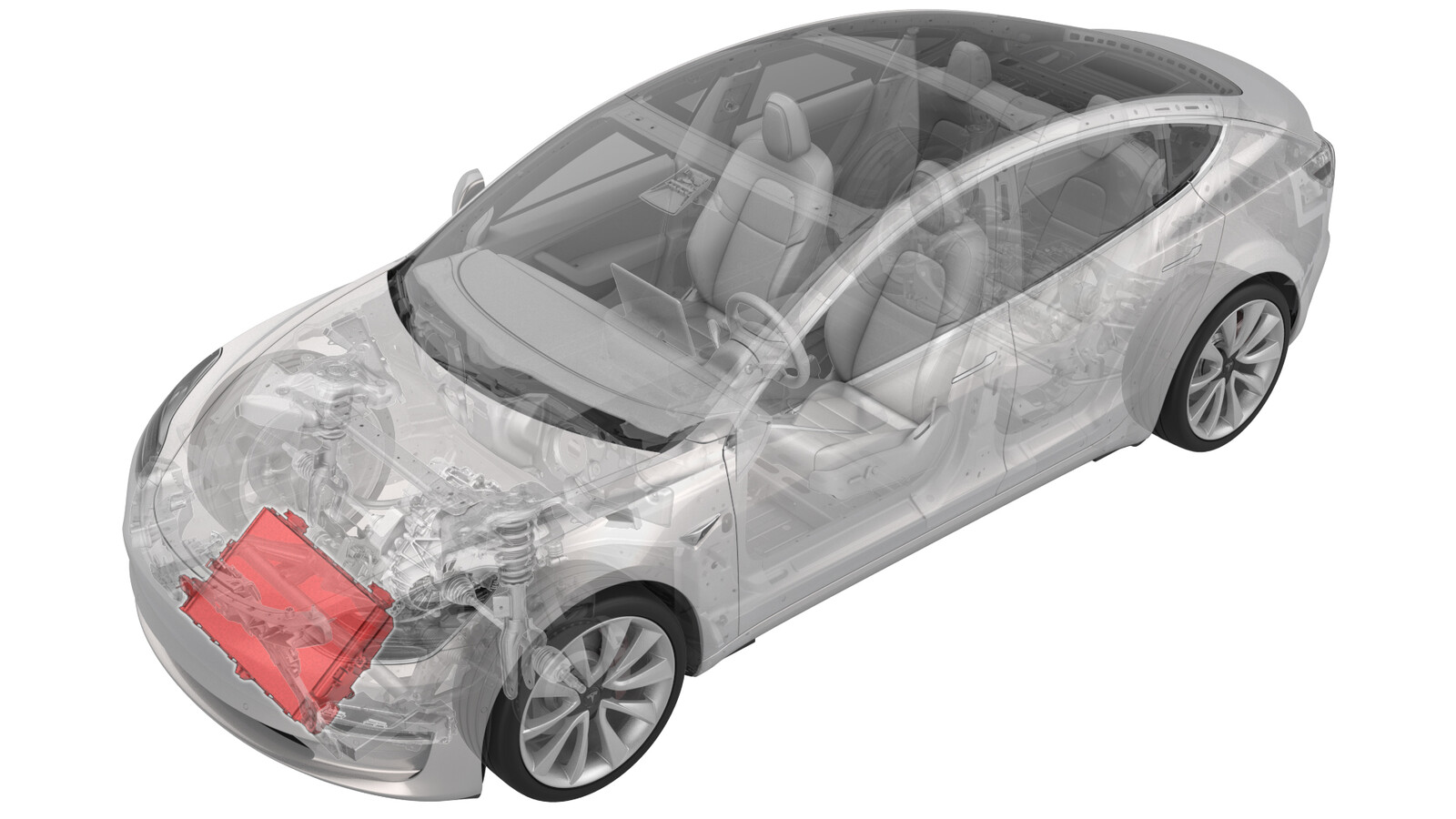 Correction code
18302000
FRT
1.08
NOTE: Unless otherwise explicitly
stated in the procedure, the correction code and its associated FRT reflect all of the
work required to perform this procedure, including the linked procedures. Do not stack correction codes unless
explicitly told to do so.
NOTE: See Flat Rate
Times to learn more about FRTs and how they are created.
NOTE: See Personal Protection to make sure wearing proper PPE when
performing the below procedure. NOTE: See Ergonomic Precautions for safe and healthy working
practices.
Correction code
18302000
FRT
1.08
NOTE: Unless otherwise explicitly
stated in the procedure, the correction code and its associated FRT reflect all of the
work required to perform this procedure, including the linked procedures. Do not stack correction codes unless
explicitly told to do so.
NOTE: See Flat Rate
Times to learn more about FRTs and how they are created.
NOTE: See Personal Protection to make sure wearing proper PPE when
performing the below procedure. NOTE: See Ergonomic Precautions for safe and healthy working
practices.
- 2026-06-10: Released new procedure.
CAUTION
This procedure requires
the availability of Pressure Washer Kit (2325255-00-A). If the kit is unavailable, clean the
radiator with a blow gun. Refer to Clean Radiator.
Equipment:
- 2325255-00-A - Pressure Washer Kit
- 2303607-00-A - Waterproof plug of connector
Procedure
- Place the vehicle on the 2-post lift.
- Open the LH front door and lower the LH front window.
- Remove the HEPA filter assembly. See Assembly - Filter - HEPA (Remove and Replace).
- Remove the underhood storage unit. See Underhood Storage Unit (Remove and Replace).
- Disconnect the LV power. See 12V/LV Power (Disconnect and Connect).
-
Release the connector lock, and then
disconnect the active grille shutter electrical connector.
CAUTIONDo not push down on the red tab. Pull the red tab to release the connector lock.
-
Install the waterproof connector plugs (2303607-00-A) to the active grille
shutter electrical connector, hood latch connector and LV battery
connector.
NoteKeep the harness and connectors away from the radiation to avoid water ingress.
-
Remove the ambient temperature sensor cover from the active grille shutter, and then
release the clip that attaches the cover to the active grille shutter.
- Remove the front valance. See Valance - Front Fascia (Remove and Replace).
- Remove the active grille shutter. See Active Grille Shutter (Remove and Replace).
-
Release the clips (x8) that attach the stone guard to the radiator, and then remove
the stone guard from the vehicle.
- Place a fluid catcher underneath the front of the vehicle.
-
Use a vacuum to clean the dirt on the
radiator.
NoteIf necessary, remove any large debris.
-
Use the pressure washer kit
(2325255-00-A) to clean the dirt on the radiator again.
-
Release the upper and lower locking
tabs that secure the radiator to the cooling and shroud assembly.
-
Use an inflatable airbag to separate
the radiator.
NoteUse an inflatable airbag to raise the edge of the radiator at a specific angle for better cleaning. Be careful not to damage the surface of the radiator and the two holding mounts.
-
Clean the bottom of the cooling
fan.
NoteAvoid moving debris onto the fan.
-
Inspect the bottom of the cooling fan
for debris.
-
Remove the inflatable airbag.
-
Install the radiator into the cooling
fan and shroud assembly.
-
Install the locking tabs (x8) that
attach the stone guard to the radiator.
- Remove the fluid catcher from underneath the front of the vehicle.
- Install the active grille shutter. See Active Grille Shutter (Remove and Replace).
- Install the front valance. See Valance - Front Fascia (Remove and Replace).
-
Install the clip that attaches the
cover to the active grille shutter, and then install the sensor cover to the active
grille shutter.
-
Remove the waterproof connector plugs (2303607-00-A) from the connectors
(x3).
NoteBefore removing the plugs, make sure there are no water droplets on the exterior of the plugs and the connectors, to prevent water from entering the interior of the connector during plug removal.
-
Engage the locking tab to connect the
active grille shutter electrical connector.
- Connect LV power. See 12V/LV Power (Disconnect and Connect).
- Connect a laptop with Toolbox 3 to the vehicle. See Toolbox (Connect and Disconnect).
-
In toolbox, click Actions tab, type
Radiator in the search field, select PROC_VC_X_RESET-RADIATOR-UA-INDEXvia Toolbox:(link), click Run, and allow the routine to complete.
NoteOnly if the vehicle software is 2026.14.3 or later, this routine can be performed in the touchscreen.
- Disconnect the laptop.
-
Perform the following
routine using Service Mode or Toolbox (see 0005 - Service Modes):
TEST-SELF_VCFRONT_X_THERMAL-PERFORMANCEvia Service Mode:Thermal ➜
Actions ➜ Test Thermal Performancevia Service Mode Plus:
- Drive Inverter ➜ Front Drive Inverter Replacement ➜ Thermal System Test
- Drive Inverter ➜ Rear Drive Inverter Replacement ➜ Thermal System Test
- Drive Inverter ➜ Rear Left Drive Inverter Replacement ➜ Thermal System Test
- Drive Inverter ➜ Rear Right Drive Inverter Replacement ➜ Thermal System Test
- Drive Unit ➜ Front Drive Unit Replacement ➜ Thermal System Test
- Drive Unit ➜ Rear Drive Unit Replacement ➜ Thermal System Test
- Disable Service Mode. See Service Mode.
- Install the underhood storage unit. See Underhood Storage Unit (Remove and Replace).
- Install the HEPA filter assembly. See Assembly - Filter - HEPA (Remove and Install).
- Raise the LH front window and close the LH front door.
- Remove the vehicle from the lift.