Harness - Trunk Lid (Remove and Replace)
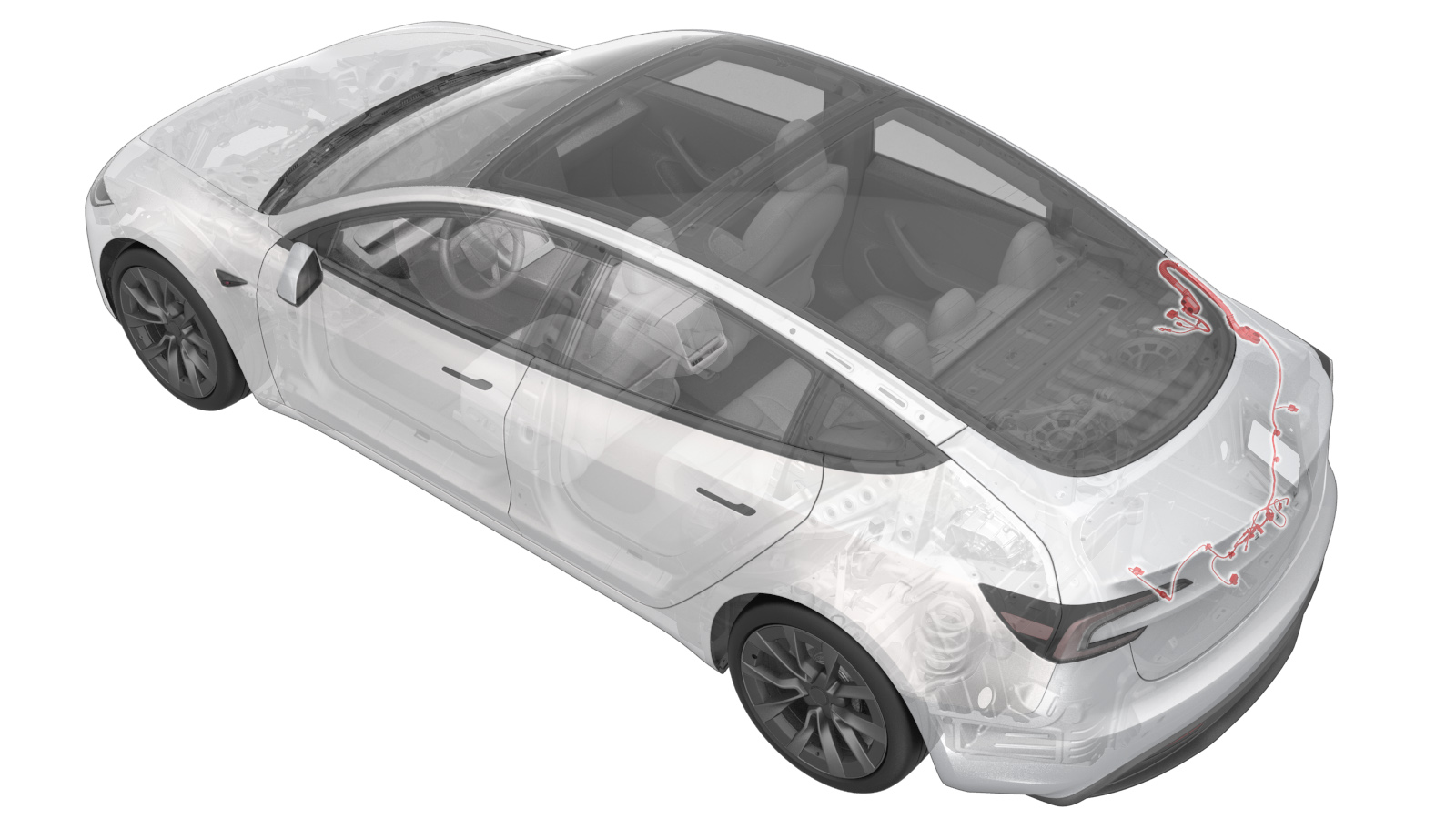 Correction code
1710020082
FRT
0.66
NOTE: Unless
otherwise explicitly stated in the procedure, the above correction code and
FRT reflect all of the work required to perform this procedure, including
the linked procedures. Do
not stack correction codes unless explicitly told to do so.
NOTE: See Flat Rate
Times to learn more about FRTs and how
they are created. To provide feedback on FRT values, email ServiceManualFeedback@tesla.com.
NOTE: See Personal Protection
to make sure wearing proper PPE when performing the below procedure.
NOTE: See Ergonomic Precautions for safe and
healthy working practices.
Correction code
1710020082
FRT
0.66
NOTE: Unless
otherwise explicitly stated in the procedure, the above correction code and
FRT reflect all of the work required to perform this procedure, including
the linked procedures. Do
not stack correction codes unless explicitly told to do so.
NOTE: See Flat Rate
Times to learn more about FRTs and how
they are created. To provide feedback on FRT values, email ServiceManualFeedback@tesla.com.
NOTE: See Personal Protection
to make sure wearing proper PPE when performing the below procedure.
NOTE: See Ergonomic Precautions for safe and
healthy working practices.
- 2025-12-29: Added the trunk latch cover steps and the torque table.
Torque Specifications
| Description | Torque Value | Recommended Tools | Reuse/Replace | Notes |
|---|---|---|---|---|
|
Bolt that attaches the trunk ground strap to the body Bolt that attaches the ground straps to the trunk lid |
 8 Nm (5.9 lbs-ft) |
|
Reuse |
Remove
- Open all 4 doors and lower all 4 windows.
- Move both front seats forward.
- Remove the LH side rail trim. See Trim - Side Rail - LH (Remove and Replace).
- Remove the LH 2nd row seat side bolster. See Bolster - Side - Seat - 2nd Row - LH (Remove and Replace).
- Remove the LH C-pillar trim. See Trim - C-Pillar - LH (Remove and Replace).
- Repeat step 3 through step 5 on the RH side of the vehicle.
- Remove the package tray trim. See Trim - Package Tray (Premium) (Remove and Replace).
-
Remove the bolt that attaches the
trunk ground strap to the body.
CAUTIONTake care when using hand tools near the backlight glass and defroster grid.TIpUse of the following tool(s) is recommended:
- 10 mm socket
-
Disconnect the trunk harness
connectors (x2) .
-
Use a clip pry tool to release the
clip from the trunk harness.
-
Use a plastic trim tool to release the
trunk harness grommet and pull the trunk harness through the bulkhead.
- Remove the trunk latch cover. See Cover - Latch - Trunk (Remove and Replace).
- Remove the trunk lid trim. See Trim - Lid - Trunk (Remove and Replace).
-
Disconnect the LH and RH taillight
connectors.
Figure 1. LH Figure 2. RH -
Disconnect the trunk latch
connector.
-
Disconnect the trunk handle connector,
the backup camera connector, and the LH and RH license plate light connectors.
-
Remove the bolt that attaches the
ground straps to the trunk lid.
TIpUse of the following tool(s) is recommended:
- 10 mm socket
-
Use a clip pry tool to release the
clips (x7) that attach the trunk harness to the trunk lid.
-
Release the grommet and pull the
harness through the trunk bulkhead.
-
Use a clip pry tool to release the
clips (x2) that attach the trunk harness to the RH side of the trunk, then remove the
trunk harness.
Install
-
Position the trunk harness onto the
trunk and fasten the clips (x2) that attach the trunk harness to the RH side of the
trunk
-
Fasten the grommet and move the trunk
electrical harness in through the trunk bulkhead.
-
Fasten the clips that attach the trunk
electrical harness to the trunk lid.
-
Install the bolt that attaches the
trunk electrical harness ground straps to the trunk lid.8 Nm (5.9 lbs-ft)TIpUse of the following tool(s) is recommended:
- 10 mm socket
-
Connect the trunk electrical harness
to the RH and LH license plate light connectors, the trunk handle connector, and the
backup camera connector.
-
Connect the trunk electrical harness
to the trunk latch connector.
-
Connect the trunk electrical harness
to the RH and LH taillight connectors.
Figure 3. LH Figure 4. RH - Install the trunk lid trim. See Trim - Lid - Trunk (Remove and Replace).
- Install the trunk latch cover. See Cover - Latch - Trunk (Remove and Replace).
-
Fasten the grommet and move the trunk
harness in through the bulkhead.
-
Install the bolt that attaches the
trunk ground strap to the body.8 Nm (5.9 lbs-ft)TIpUse of the following tool(s) is recommended:
- 10 mm socket
-
Connect the trunk electrical harness
connectors (x2).
- Install the package tray trim. See Trim - Package Tray (Premium) (Remove and Replace).
- Install the LH C-pillar trim. See Trim - C-Pillar - LH (Remove and Replace).
- Install the LH 2nd row seat side bolster. See Bolster - Side - Seat - 2nd Row - LH (Remove and Replace).
- Install the LH side rail trim. See Trim - Side Rail - LH (Remove and Replace).
- Repeat step 14 through step 16 on the RH side of the vehicle.
- Move both front seats to their original positions.